

Stronger communication for safer care
Keep teams aligned with centralised tasks, handover notes and updates that ensure clarity across every shift.
"Mirus Australia has saved us countless hours in manual reporting and ensured we are always ahead of funding changes, allowing our teams to dedicate more time to quality care."
Why choose MirusPlus for Communications?


Keep everyone on the same page, every shift

Streamline your communications
Built for busy care environments
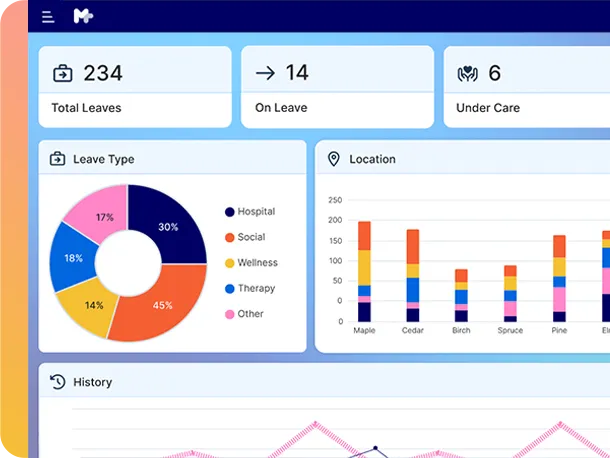
MirusPlus Communications Management centralises tasks, updates and information so teams stay aligned and informed across every shift.
Task Management
- Centralised daily task lists for clinical and non-clinical teams
- Status tracking for completed and outstanding tasks
- Personal task views on desktop and the mobile app
Alerts & Notifications
- Automated alerts for incidents, complaints and critical updates
- Configurable notification rules for teams, roles and facilities
- Real-time visibility of time-sensitive information
Meetings & Committee Management
- Central repository for agendas and meeting papers
- Digital recording and storage of minutes
- Linkage between meetings, actions and follow-up items
Noticeboard
- Live view of events entering the platform, filtered by role and area
- Facility and role-based visibility settings
- Doubles as the electronic shift handover
Internal References (Policies & Procedures)
- Centralised library of policies, guidelines and workflows
- Links to PDFs, Word documents, SharePoint or your policy system
- Role-based permissions for critical documentation
Messageboard and SMS
- Group and individual messages, with read and acknowledgement tracking
- Two-way SMS updates for residents, families and staff
Frequently asked questions
What providers ask most about MirusPlus Communications Management, from handover and tasks to alerts and meetings.
Communications Management is the MirusPlus module that keeps information moving across your homes. It brings handover, tasks, alerts, messages, meetings and policies into one place, so staff stay aligned and every update is recorded against the right record. Staff see what they need on desktop or the care worker mobile app, and two-way SMS keeps residents and families informed.
Handover breaks down when updates sit in notebooks, emails and verbal briefings. In MirusPlus, any record, such as a fall, behaviour change, missed task or family complaint, can be flagged onto the handover board from anywhere in the system. The next shift sees outstanding tasks, flagged observations, incidents and key resident updates, so handover focuses on what matters.
Managers can message groups, such as all RNs at a home or the maintenance team, or individuals, then track who has opened and acknowledged each message. Critical alerts can go to an alert board where someone must acknowledge and close each one. That creates a clear record of who took ownership, rather than an email everyone assumes someone else is handling.
Yes. The organiser schedules one-off and recurring tasks, and pre-configured workflows fire a series of tasks automatically when an event occurs, such as an admission. A configurable rule engine raises notifications for defined events, such as every hospital admission or five falls within seven days, and routes them by email, messageboard, noticeboard or the alert board.
Yes. MirusPlus sets up committee templates with members and recurring agendas. Items can be added as needed, or picked up automatically from audits, continuous improvement plans and risk assessments when the next agenda is generated. Attendees, minutes, decisions and actions are recorded and linked back to their source, giving full traceability.
MirusPlus links your policies, procedures, templates and reference guides in one library, whether they’re held as PDFs, Word documents, SharePoint links or in another policy system. A guide button brings up the relevant procedure inside clinical assessments and charting, so staff find it within their workflow rather than searching a separate document store.